Project & resource planning

Plan projects and resources
as one connected flow.

UnitDeck is a free, offline-first Windows planning app for a single operator. Keep projects, tasks, work records, files, automation, resources, workloads, timelines, and reports connected in one local workspace—without a UnitDeck account.

Free on Microsoft Store No UnitDeck account 15-language UI
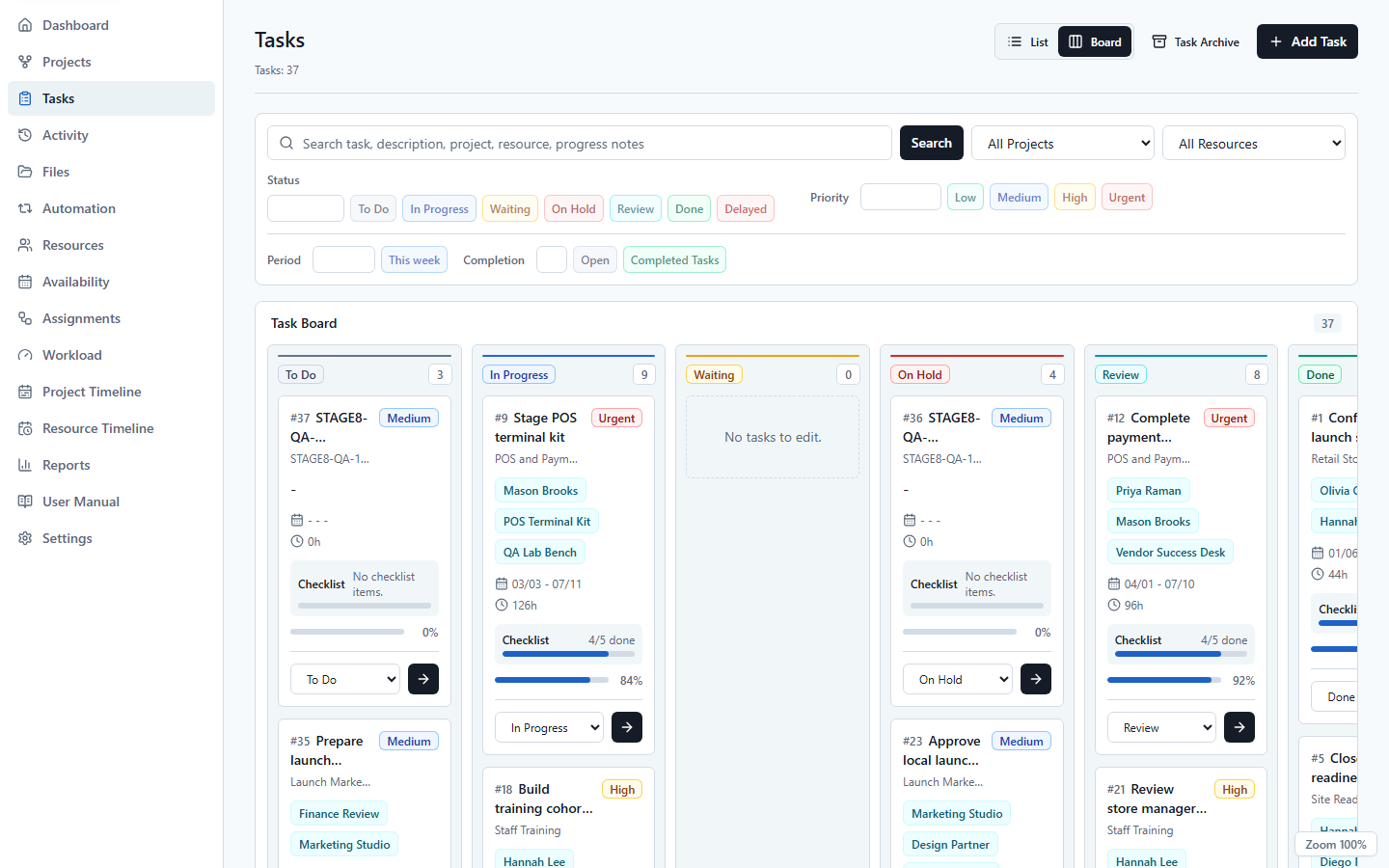
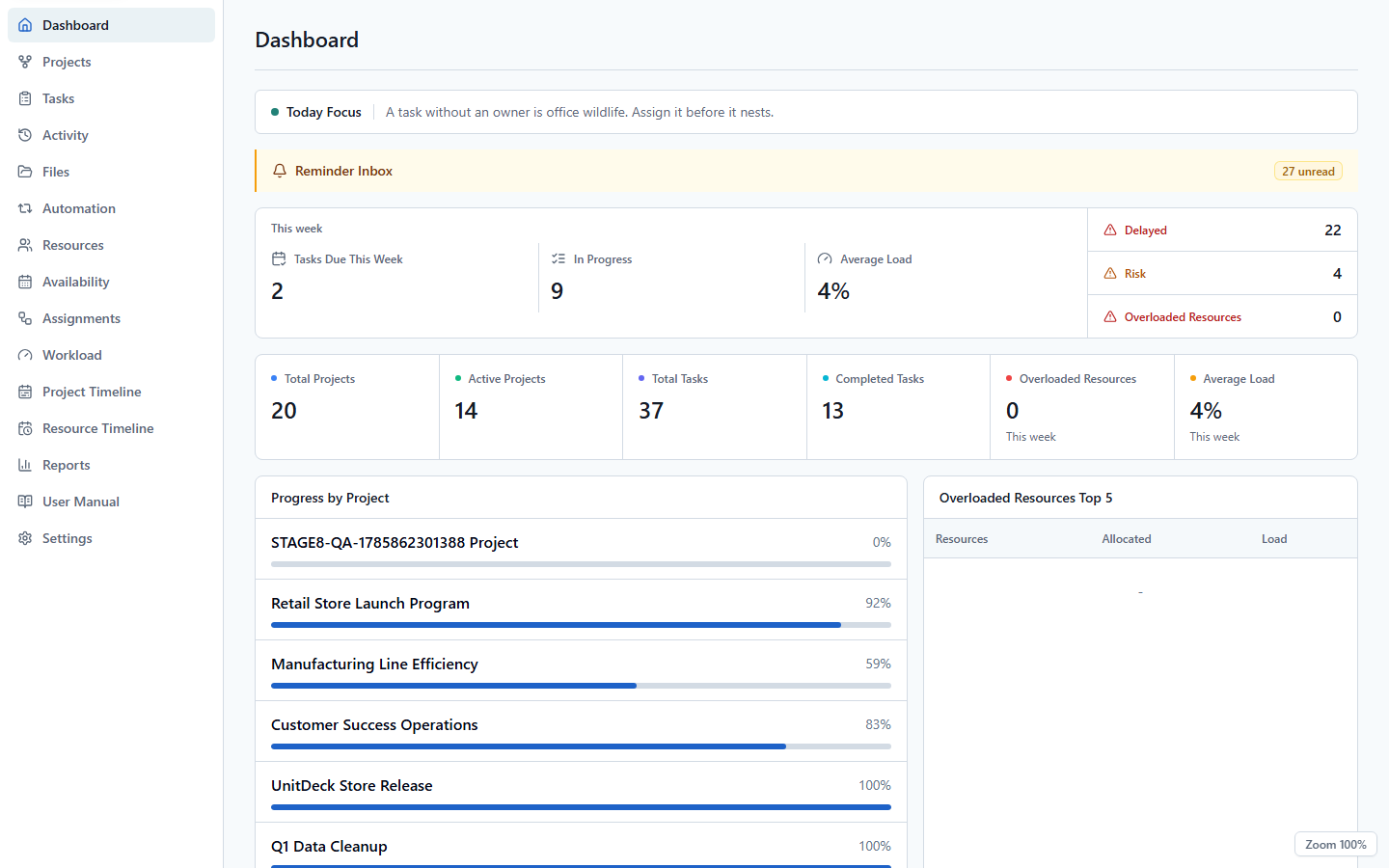
UnitDeck dashboard summarizing project status, task progress, and workload
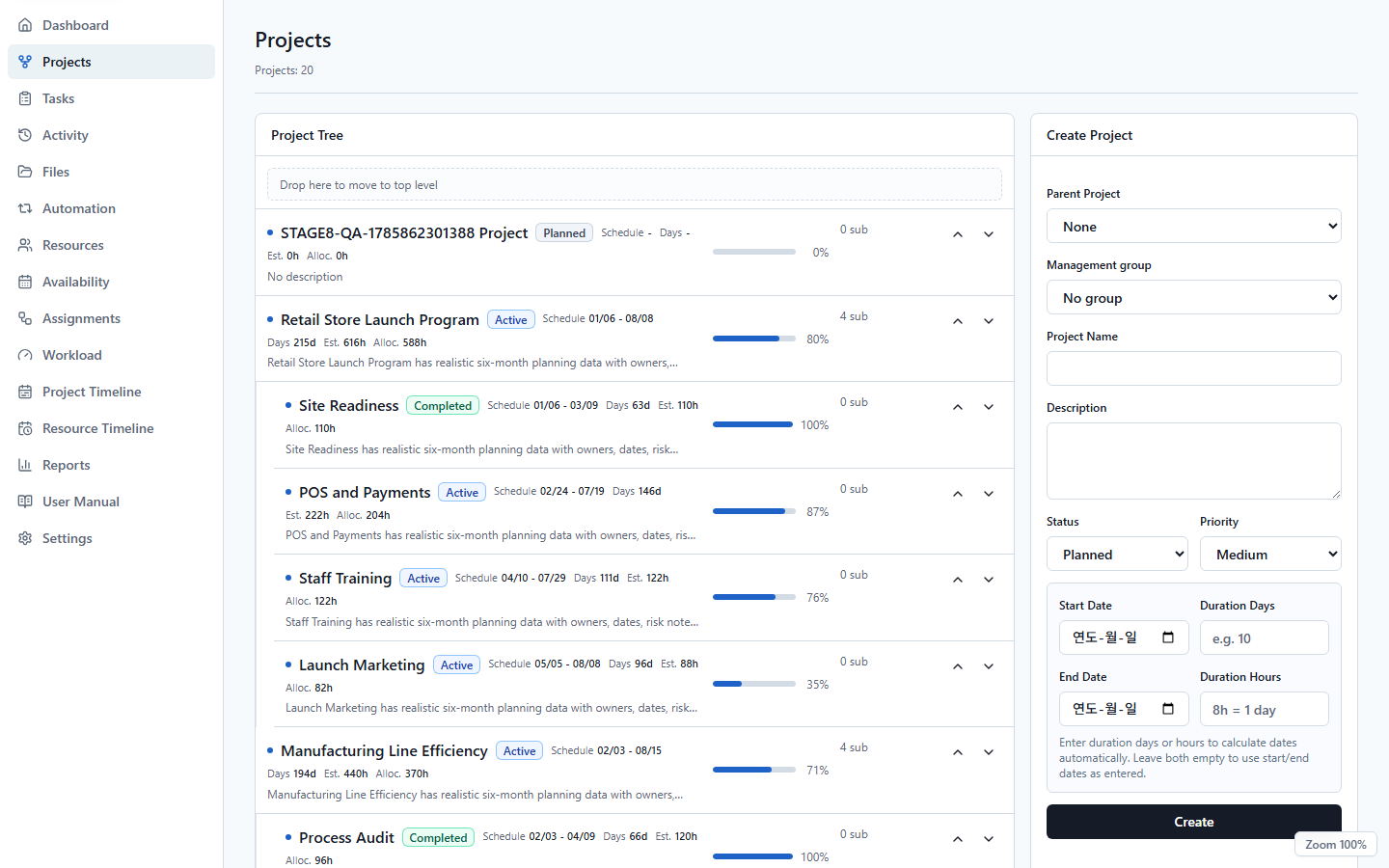
StructureProjects and subprojects
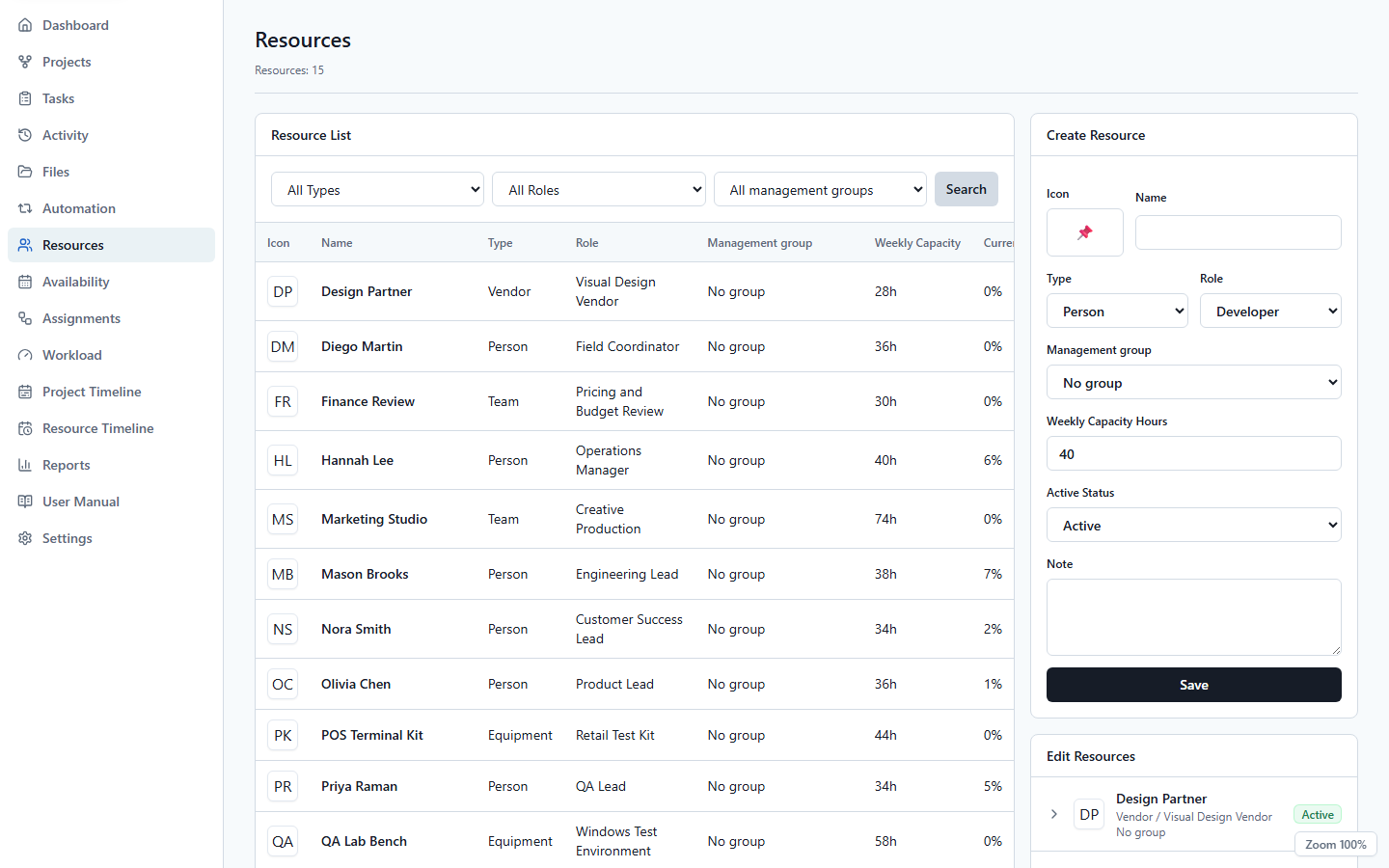
CapacityPeople, roles, equipment, and workload
FlowTask boards and timelines
ControlLocal data and full ZIP backups

Our products

Plan today.
Prepare for collaboration tomorrow.

UnitDeck Local is available now for focused planning on one Windows PC. In parallel, a private Cloud Core is being hardened as a separate future product foundation.

Available free on Microsoft Store 01

Windows Local

UnitDeck

A free, offline-first Windows planning app for one operator, connecting projects, tasks, work records, files, resources, assignments, workload, timelines, and reports in one local workspace.

  • Projects, tasks, checklists, and Activity records
  • Files, local automation, and recurring work
  • Resources, workload, timelines, reports, and CSV
  • Full ZIP backup and a searchable offline manual
View product details
In development · Not publicly available 02

Private Cloud Core

UnitDeckCloud

UnitDeck Cloud Core is a private foundation for future Workspace products. It focuses on identity, server-enforced isolation, permissions, and a minimal shared work-data layer. It is not a public service.

  • Identity and canonical Workspace context
  • Server-enforced membership, roles, and isolation
  • Project and Task boundaries established internally
  • No public sign-up, Local sync, Teams, or launch date
View development direction

Why UnitDeck

See the operating structure
behind the task list.

UnitDeck is designed to show resource capacity and schedule pressure alongside the plan from the start.

01

Project hierarchy

Break larger goals into projects and subprojects, then review progress across their connected tasks.

02

Execution records and files

Keep checklists, Activity records, attachments, reminders, recurring work, and dependencies beside each task.

03

Capacity and timelines

Connect availability and assignments, then compare weekly workload, project timelines, and resource timelines before pressure becomes a surprise.

04

Local safety and guidance

Work without a UnitDeck account, create full ZIP backups, and use the searchable 21-section manual even when offline.

Local to Cloud

Start local.
Connect when the foundation is ready.

UnitDeck Local remains an independent, offline-first product. Cloud Core development does not upload or automatically synchronize Local data.

STEP 01 · LOCAL

Plan locally today

Get UnitDeck free from Microsoft Store, work without a UnitDeck account, and keep planning data in your Windows app-data area.

SQLiteFull ZIP backupOffline-first

STEP 02 · CLOUD

Harden the private Cloud Core

Identity, Workspace isolation, roles, and minimum shared-work boundaries are being verified before any public product is announced.

WorkspaceRolesAudit

Built for real operations

For the people who keep projects
and resources moving.

01

Independent planners

Build a dependable operating plan on one PC without an account or shared server.

02

Resource and operations coordinators

Manage people, equipment, spaces, availability, assignments, and workload for the team plan you own.

03

Project leads

Review hierarchy, progress, risk, and schedule pressure in one flow to prepare the next decision.

Start a conversation

See whether UnitDeck fits
the way you plan work.

Send product questions, adoption inquiries, testing interest, or partnership proposals to our official support email.